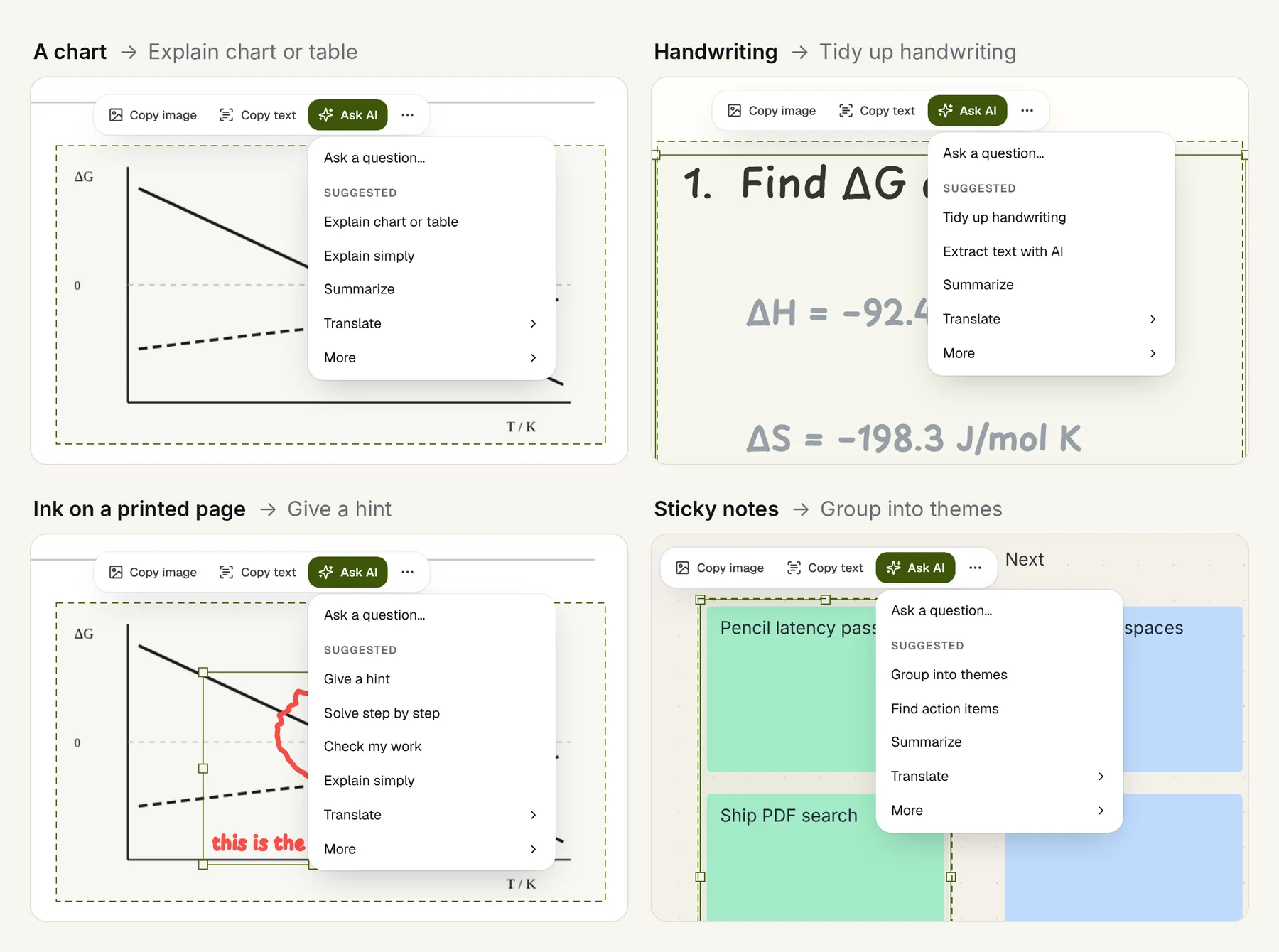
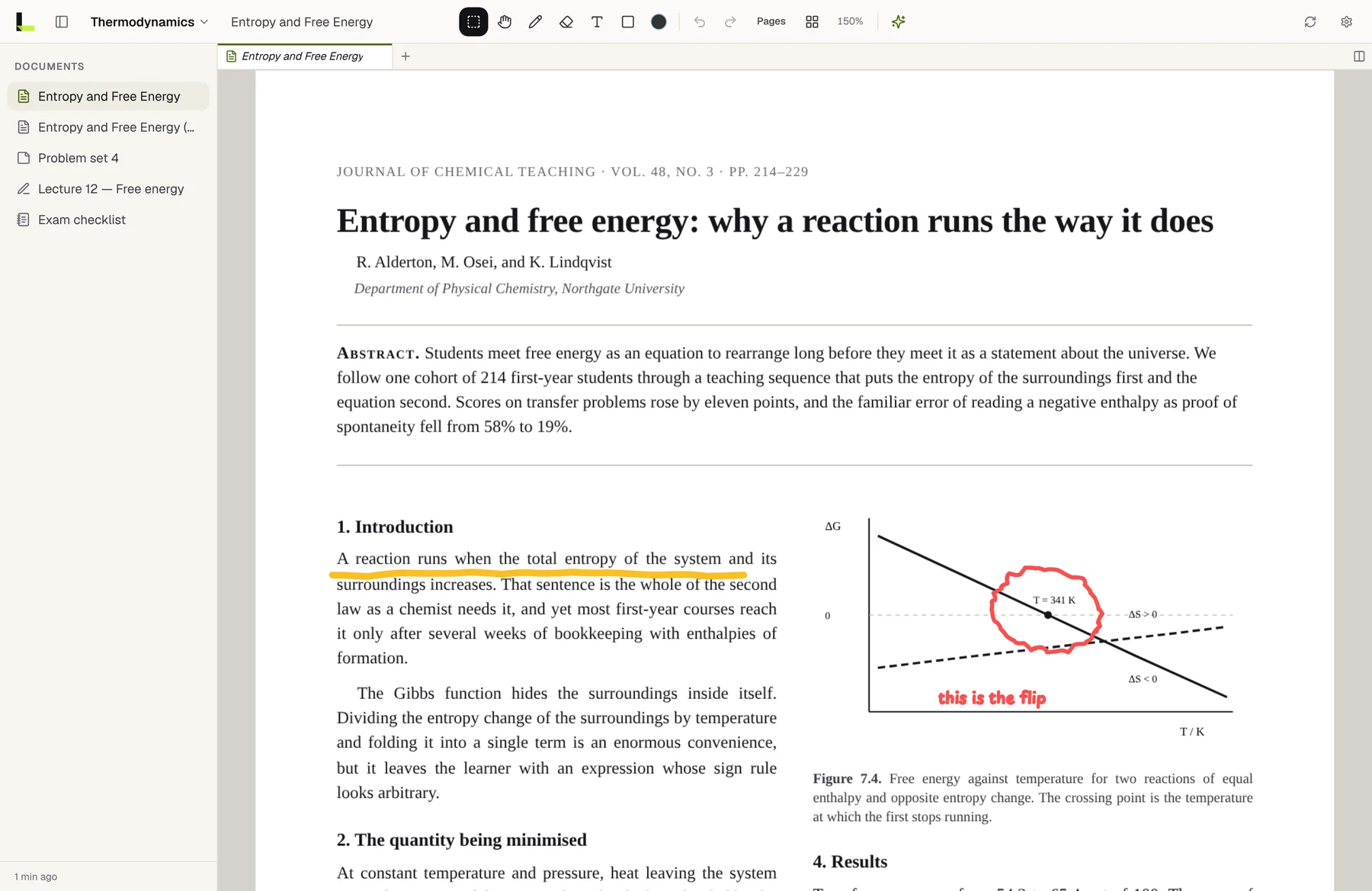
Limenote can answer questions about your pages. You lasso a chart or a paragraph, tap Ask AI, and the answer lands beside your notes. The model runs on your own key from Anthropic, OpenAI, Google Gemini or xAI.
We chose bring-your-own-key (BYOK) to launch with because it made one hard question disappear: what should AI cost, and who pays when someone uses a lot of it? It also created three new problems we didn't fully see coming. Here's what each one looked like and what we did about it.
Why BYOK at all
For a small team, the case is strong:
- No model costs on our books, and no metering, quotas or abuse limits to build before launch.
- People choose the model. Some want the strongest one available; others want the cheapest one that reads a chart correctly.
- The usage shows up on their own provider bill, under their own account, with their own spending caps.
- Switching is a settings change. When a better model ships, nobody waits for us.
The cost is that you've handed people a setup step and taken on their secrets. That's where the work is.
Problem 1: most people don't have an API key
Developers do. Students, the people we built a handwriting notebook for, mostly don't. So the first rule we set: the notebook has to be complete without a key. Ink, PDFs, whiteboards, sync across iPad, iPhone and the web all work with no key. AI is an addition, not the reason to install the app.
What helped, specifically:
- An empty state that says what a key unlocks, not just "no key configured".
- A link from each provider to its own key page, so getting a key is one tap away.
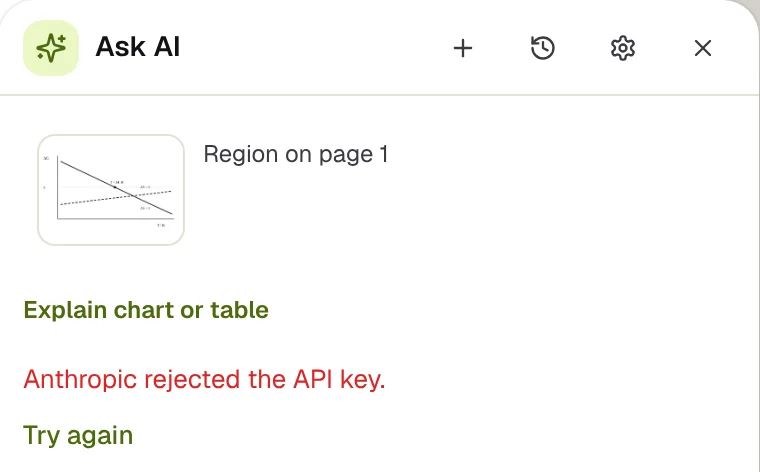
- Errors that say what to do. When the selected provider has no key, the AI panel shows a button that opens Settings › AI instead of "Try again". When a key is wrong, it says so in a plain sentence, not as an HTTP status.
One more onboarding cost is easy to forget: App Review needs a key too. If the reviewer can't try the feature, you get an "information needed" rejection. Put a throwaway key with a low spending cap in the review notes, and revoke it afterwards.
Problem 2: you're now holding secrets
The moment someone pastes a key, you're responsible for it. What we settled on:
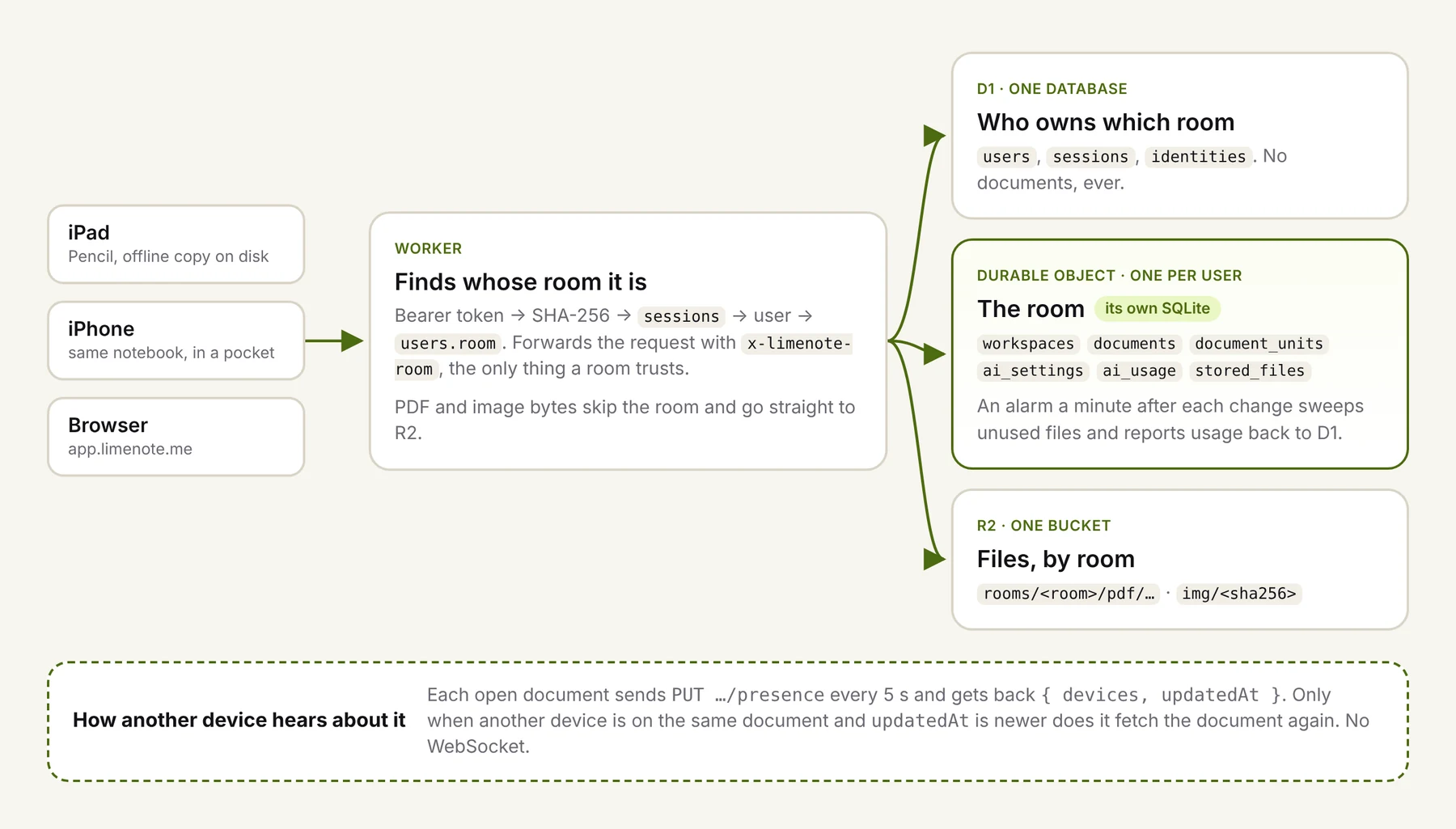
- Encrypted at rest. Each person's keys are sealed together with AES-GCM (random IV per write) using a server secret the database never sees, and stored in that person's own Durable Object.
- Never sent back in full. The browser and the apps only ever get a masked copy: the first four characters, an ellipsis, and the last four.
- Checked on the way in. Keys are trimmed, invisible zero-width characters are removed (they arrive with copy and paste more often than you'd think), the length is capped, and the prefix is checked against what that provider issues.
- Redacted on the way out. Provider error messages are scrubbed of anything key-shaped before they're logged or shown.
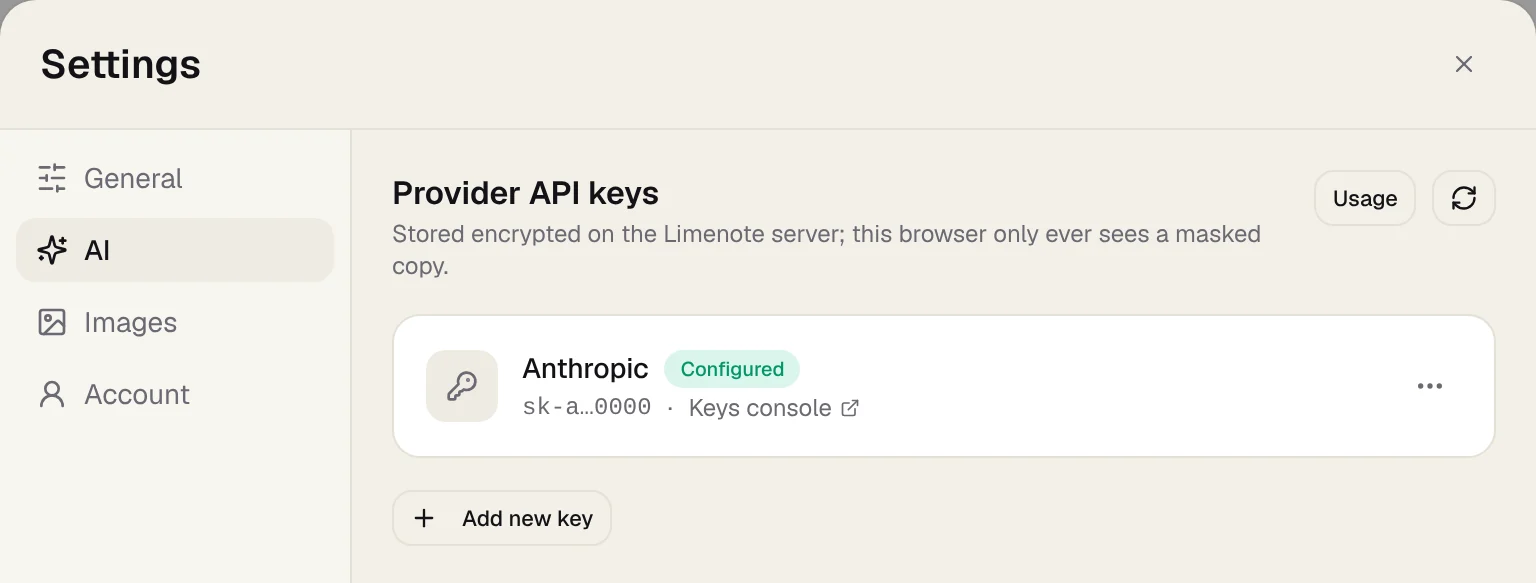
Two design decisions are worth making on purpose rather than by accident:
Make a missing encryption secret loud. It's tempting to have a "store it in plain text when there's no secret" fallback so local development works without setup. If that fallback ever runs in production, keys are stored readable and nothing tells you. Our code now reseals any plain-text row the next time it's read once the secret exists. Better still: refuse to start in production without the secret.
Decide what key rotation means before you rotate. If you replace the server secret, everything sealed with the old one can't be decrypted anymore. Our current behavior treats unreadable keys as removed, so people have to paste them again. That's safe, but it's a bad day for users. If you expect to rotate, keep the old secret for decryption and re-encrypt on read.
Problem 3: trust has to be visible
"We encrypt your key" is a sentence. People believe what they can check. Three things did more for trust than any copy we wrote:
- Ask before the first request. The person's key doesn't change the fact that their page is going to a third party. The iOS app asks once per provider, on that device, before anything is sent, and forgets the answer when the key is removed.
- Send only what was selected. A question sends the region you lassoed (as an image, plus any text found in it) and the text of that page for context, to the provider you picked. Nothing from other pages or other documents goes along. That's both a privacy property and something you can say in one sentence.
- Show every request and what it cost. Settings › AI › Usage lists each request with its model, tokens and price at the catalog rate, including failures, which are listed with no price.
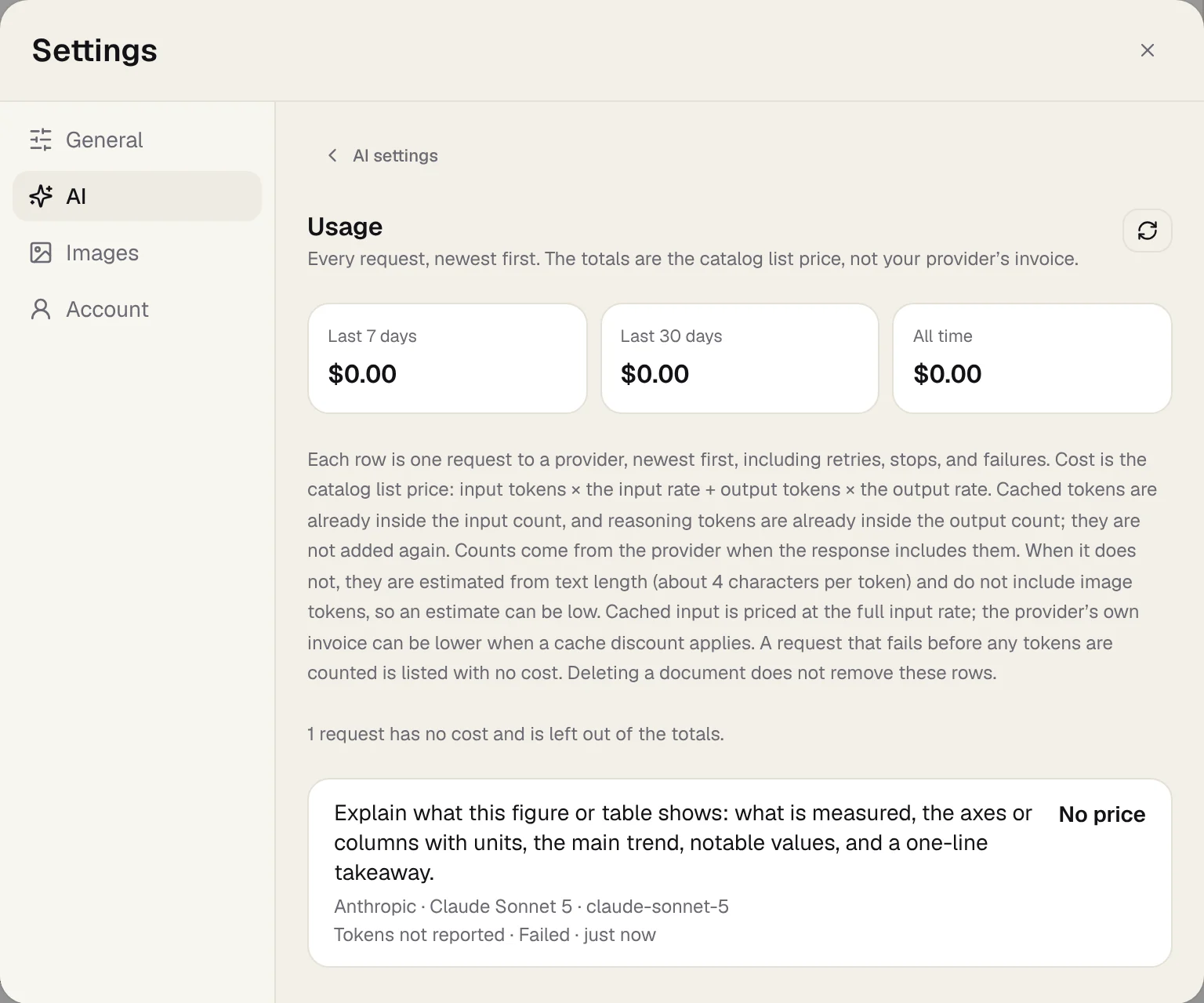
If you build a usage log, the details of counting tokens across providers are trickier than they look. We wrote them up in Your LLM cost log is probably counting some tokens twice.
When BYOK is the wrong call
- When your audience can't get a key. If the AI feature is the product, a setup step in front of it will cost you most of your users.
- When you need to control quality. With BYOK, someone can pick a small model and blame you for its answers. Recommend a default, and show which model answered.
- When you need a business model from AI itself. BYOK means no margin on usage. That can be fine if you charge for the product, but it won't carry the business by itself.
For now we think BYOK is right for Limenote: the notebook stands on its own, and AI is there for the people who want it, on their terms. Whether to also offer a hosted option later is still an open question for us, and we'd rather decide it from real usage than guess.