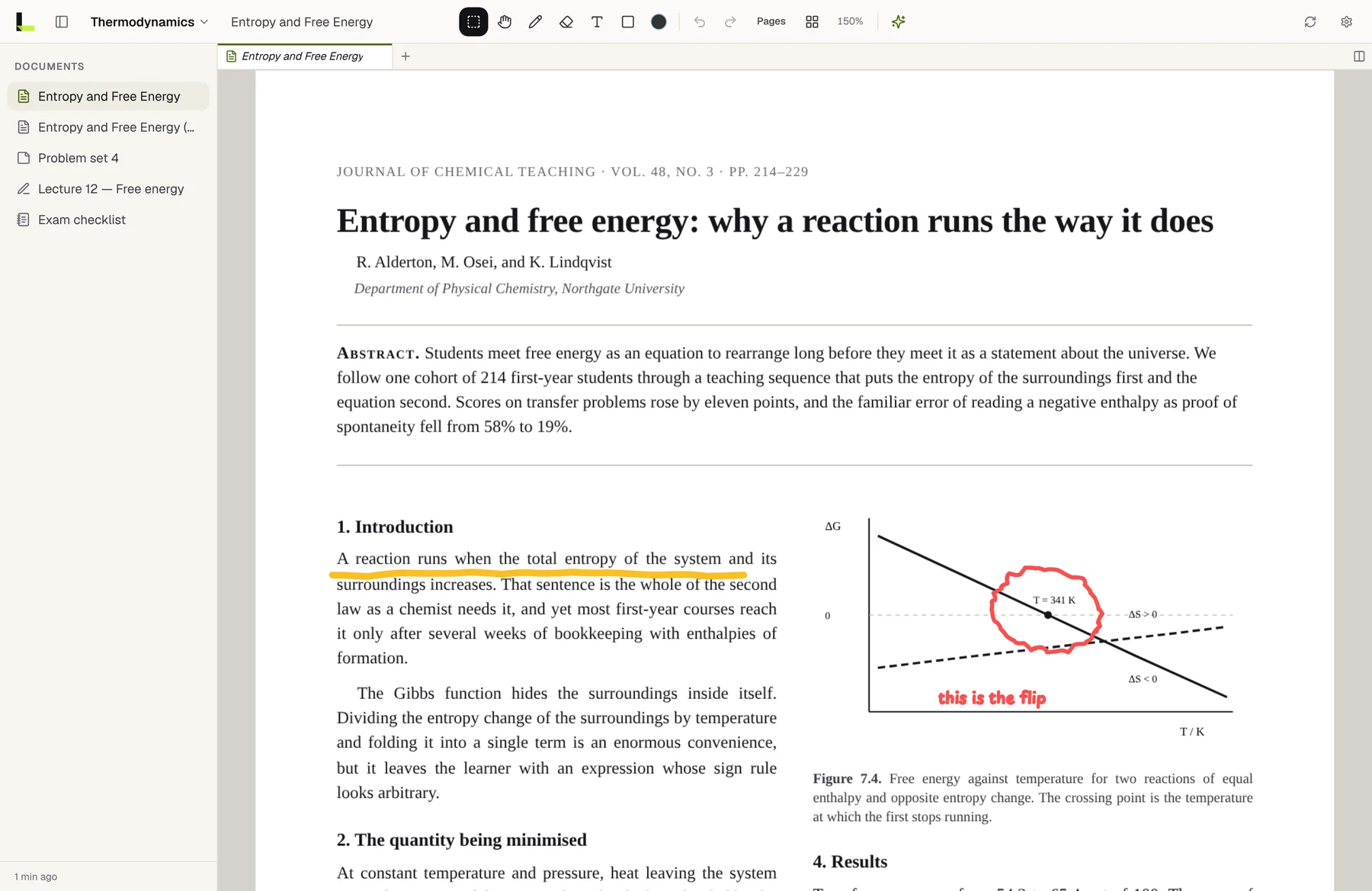
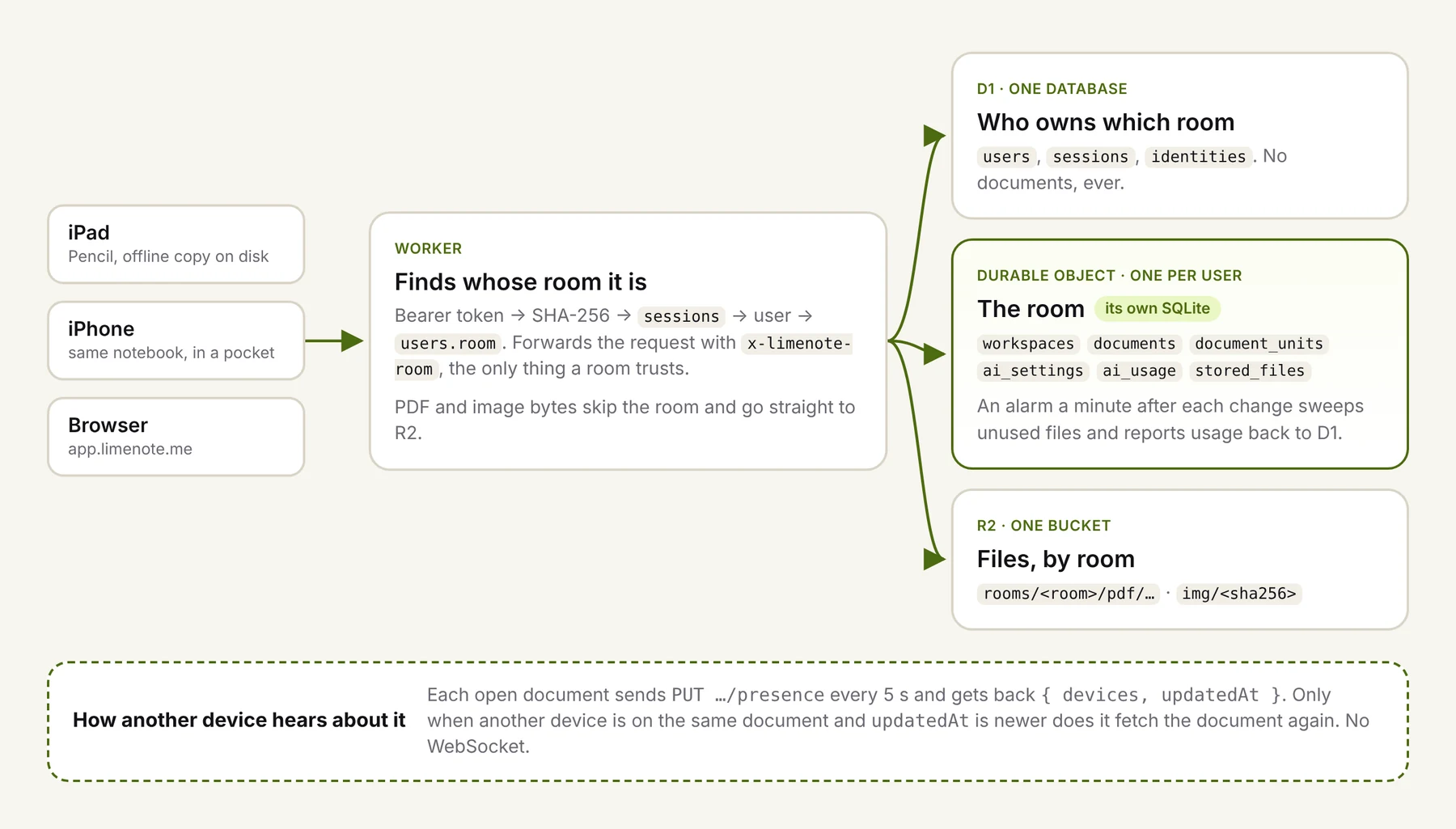
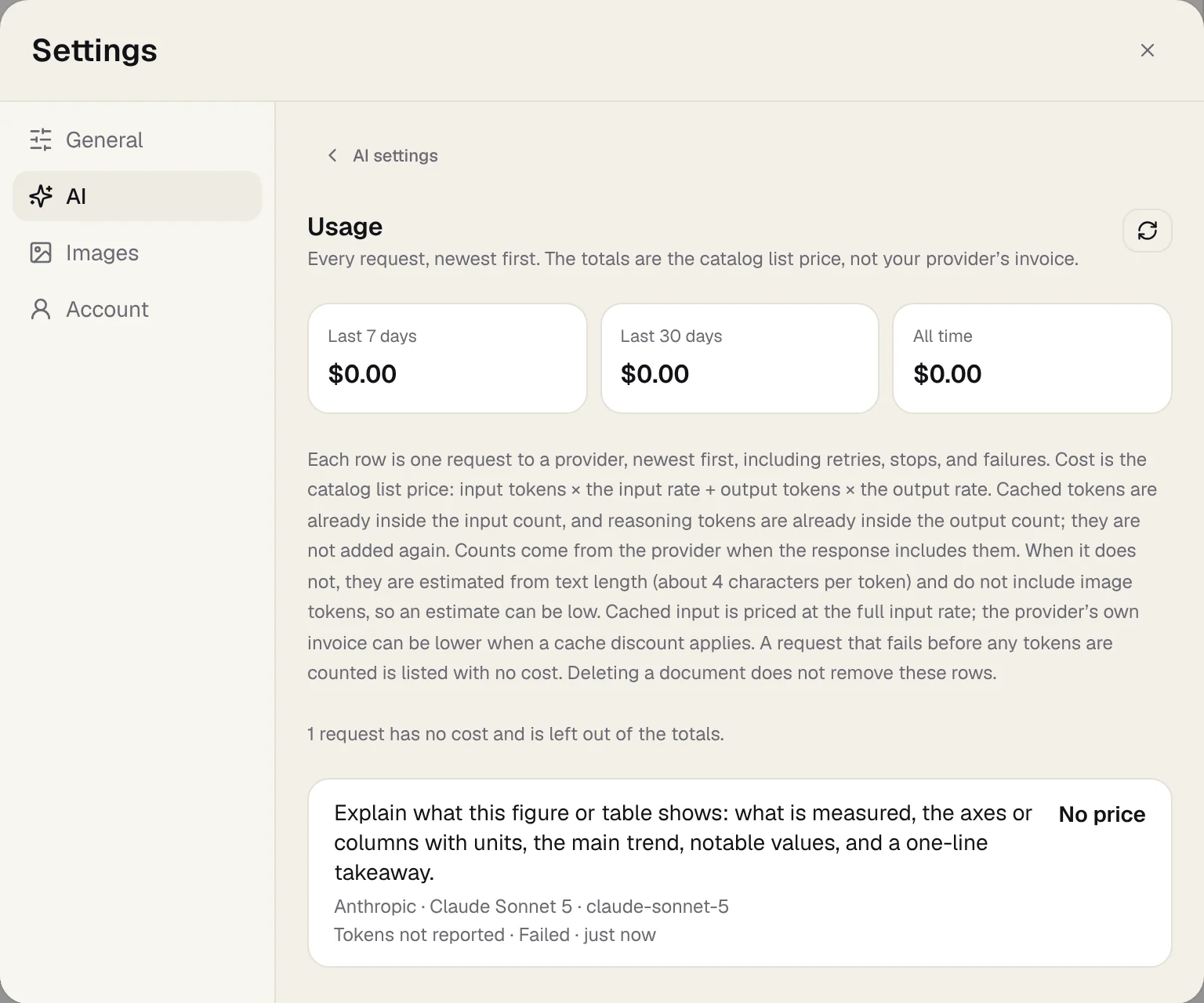
The obvious way to add "ask AI about this PDF" is to pull the text layer out, put it in a prompt, and send it. That works for a paragraph of prose. It fails on almost everything else people actually get stuck on:
- A chart becomes a handful of axis labels with no line or trend.
- A table becomes a stream of numbers in reading order, with the columns gone.
- An equation becomes symbols in whatever order the PDF happened to store them.
- Handwriting isn't in the text layer at all.
- A scanned page has no text layer.
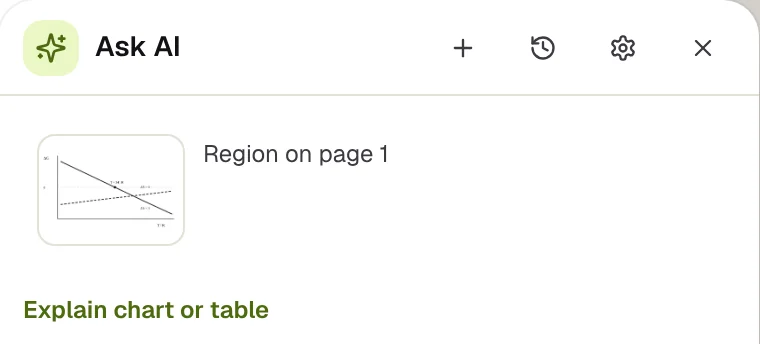
In Limenote you lasso part of a page and tap Ask AI. What goes to the model is an image of exactly that region, plus any text we found in it, labelled as a hint. This post covers how that's put together and the small decisions that made it work better.
The image is the source of truth
Each request carries the crop as an image, the text found inside the same rectangle (from the PDF's text layer, or from OCR on a scan), and a little context. The system prompt says plainly which wins:
An image of the selected region. The image is the source of truth for layout, figures, tables, handwriting and math.
<region_text>, when present, is text taken from the same area (from the PDF or from OCR); use it for exact wording, but trust the image when they disagree.
The text is still worth sending. Models read small type in images well but not perfectly. With the extracted text beside the image, names, numbers and citations come back spelled exactly as printed. Labelling where the text came from (source="pdf" or source="ocr") lets the model weigh it: a PDF text layer is exact, OCR is a guess.
The first message of a conversation looks roughly like this:
<reply_language>English</reply_language>
<document>Title: Entropy and Free Energy
Page: 1</document>
<page_context>…the page's text, for references like "Figure 3"…</page_context>
<region kind="region" content="figure">
The selected region is the attached image.
</region>
<region_text source="pdf">ΔG  0  T = 341 K  ΔS > 0  ΔS < 0  T / K</region_text>
<instruction>
Explain what this figure or table shows: what is measured, the axes or
columns with units, the main trend, notable values, and a one-line takeaway.
</instruction>
Three details in there are deliberate:
- Page context is for references only. People select Figure 7.4 and ask what "the second law" refers to. The rest of the page's text lets the model resolve that, and the prompt tells it to keep the answer about the selection.
- Only the first message carries the image. Follow-up questions are text only. The model already has the image from the first turn, and sending it again on every follow-up is the quickest way to make a conversation expensive.
- The reply language is explicit. It's the browser's or device's language by default, so a Korean student reading an English paper gets a Korean explanation without asking.
Guess what's in the region, and suggest accordingly
A blank "Ask anything" box is a lot to face when you're stuck. So when you select a region, we look at what's inside it and suggest the actions that fit: what kinds of things are on the canvas there, and how much printed text and math the PDF has in that rectangle.
function regionHint(sheets, pdfText, units): RegionHint {
  const letters = pdfText.replace(/\s/g, '').length;
  const ink = units.some((u) => u.type === 'pen');
  const notes = units.filter((u) => u.type === 'sticky' || u.type === 'text')
    .length;
  if (ink && letters > 0) return 'problem';        // your writing on a printed page
  if (ink) return 'handwriting';
  if (notes >= 2) return 'board';
  if (letters >= 80) {
    const math = (pdfText.match(/[=+−×÷∑∫√≤≥^∞πθλ]/g) ?? []).length;
    return math >= 6 ? 'problem' : 'document';
  }
  if (sheets.length > 0 || units.some((u) => u.type === 'image')) return 'figure';
  if (notes === 1 || letters > 0) return 'document';
  return units.length === 0 ? 'empty' : 'figure';
}
It's a dozen lines and it gets most cases right. Here is the same gesture on four kinds of content:
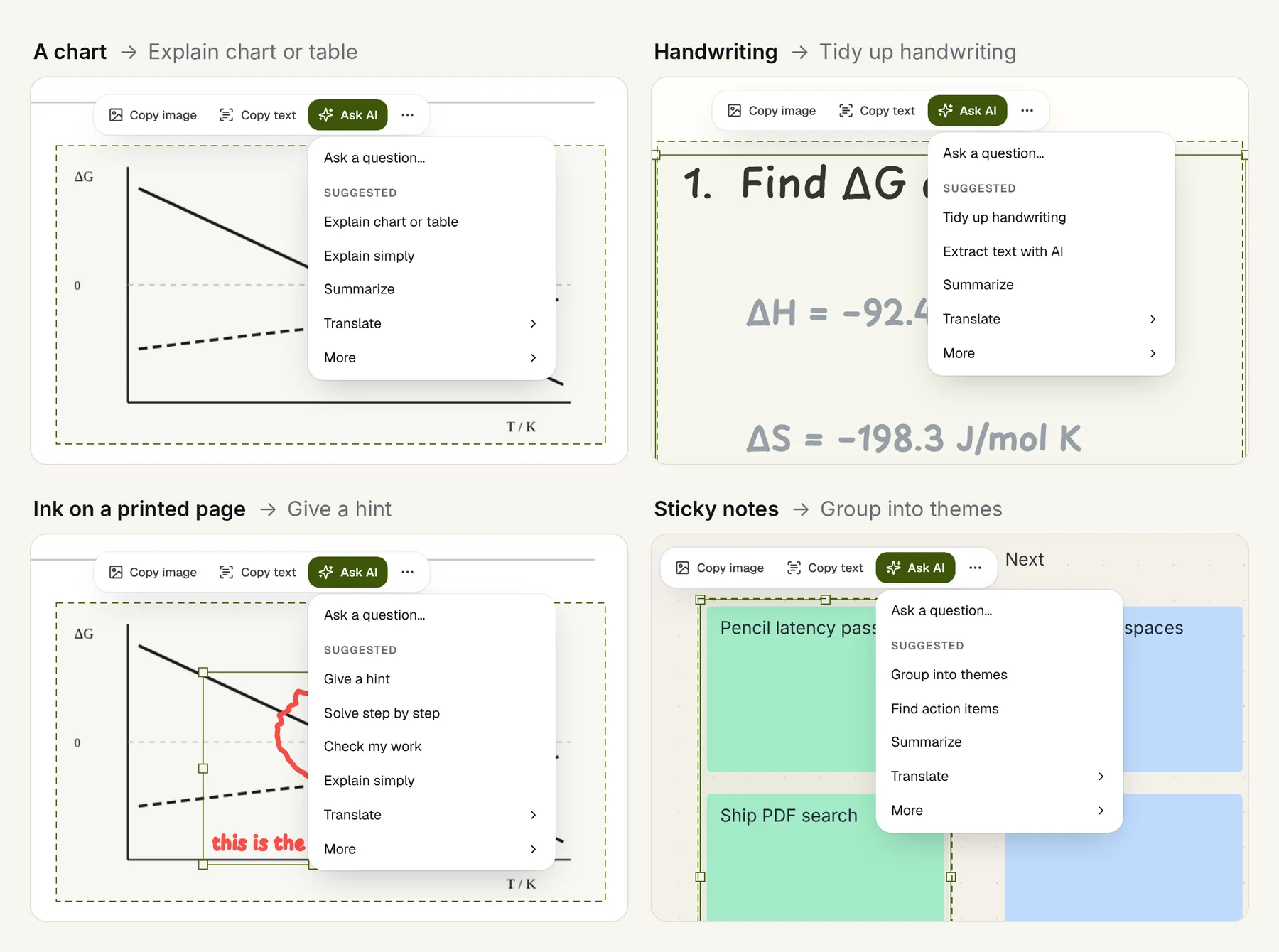
The bottom-left one shows where it goes wrong. That's a chart with a reader's circle and a note on it. Because there's ink over printed text, the heuristic reads it as someone working a problem, and offers Give a hint, Solve step by step and Check my work before Explain chart or table. For a student annotating a figure, that's the wrong first suggestion.
We kept the heuristic anyway, for two reasons. Being wrong costs one extra tap: Ask a question… is always first, and More holds every action. And the alternative, a model call to classify the region before you've asked anything, would add latency and cost to every selection. If you build something similar, design for the guess to be wrong.
Write each action as a precise instruction
Each suggestion is a short, specific instruction rather than a vague verb. Being specific is where most of the quality comes from:
| Action | What the model is told |
|---|---|
| Explain chart or table | What is measured, the axes or columns with units, the main trend, notable values, and a one-line takeaway. |
| Extract text with AI | Transcribe exactly, keeping line breaks. Tables as tab-separated rows, math as LaTeX. Don't explain anything. |
| Give a hint | Only a hint toward the next step, without solving it. |
| Check my work | Point out the first mistake and why it's wrong, without the full solution. Say so if it's correct. |
| Tidy up handwriting | Clean typed notes as short bullets. Fix obvious spelling, add nothing new. |
Extract text is the one that replaces OCR for scans. "Tables as tab-separated rows" means the result pastes into a spreadsheet as a table. "Math as LaTeX" means it pastes into a paper. "Don't explain anything" stops the model from helpfully summarizing what it was asked to copy.
Crop tight, and keep it small
- Crop to the selection, not the page. You send fewer image tokens, and the answer is about what the person pointed at, not the most prominent thing on the page.
- Cap the size. We refuse an image over about 8 MB of base64. Small print needs resolution, but an entire page at 300 dpi does not.
- Remember answers land in a narrow panel. The prompt asks for brevity, short headings and lists, and plain-text math (x², √2, ≤) unless LaTeX is asked for, because the answer may also be pasted onto the canvas as plain text.
It's also the privacy story
Cropping happens to make the privacy explanation simple. What leaves the device is the region you selected, the text found in it, and up to 8,000 characters of text from the same page so the model can resolve references. Nothing from other pages or other documents goes along, and it goes only to the one provider whose key you added. That's easier to explain than "we send the document, but only the relevant parts", and easier to keep true.
In short
Send the image of exactly what was selected, and treat it as the truth. Add extracted text as a labelled hint. Send the image once per conversation. Make a cheap guess about the content to suggest actions, and make sure a wrong guess costs one tap. Write each action as an instruction precise enough that the output can be pasted somewhere useful.